How to setup IPTV on iBRAVEBOX F10S
How to Setup IPTV on iBRAVEBOX
In this tutorial, we are going to show you how to bring IPTV channels to your iBravebox F10S receiver. This device works very similarly to MAG boxes and installing IPTV on it is identical to MAG devices.
How to setup IPTV on iBRAVEBOX
Step 1: Starting with Multimedia
Start by clicking on the “Multimedia” tab and selecting “Extream IPTV“.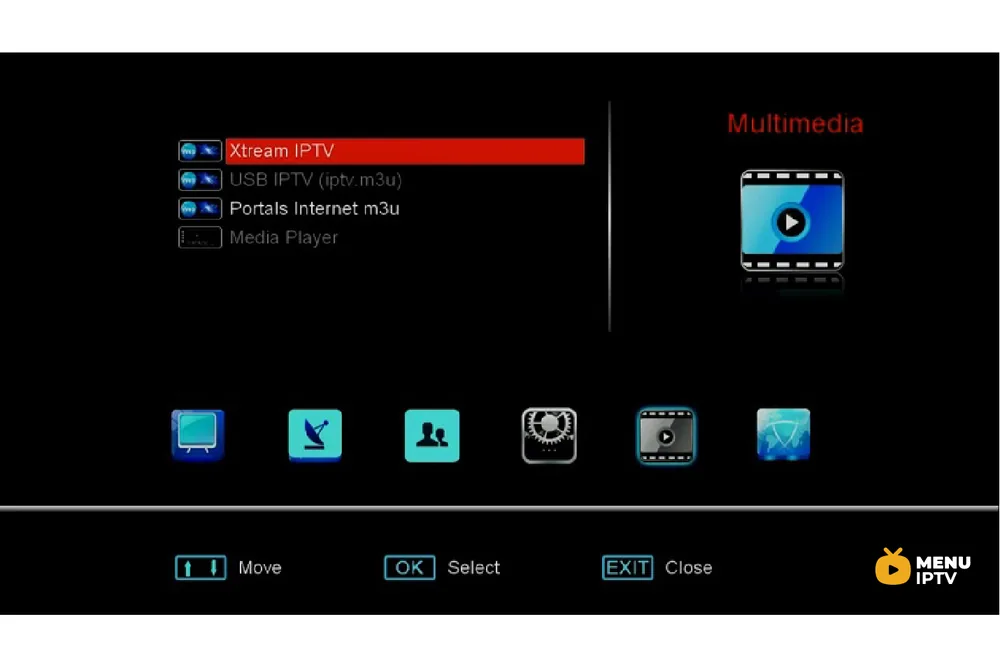
Step 2: Selecting the Server
Now click on “Server“.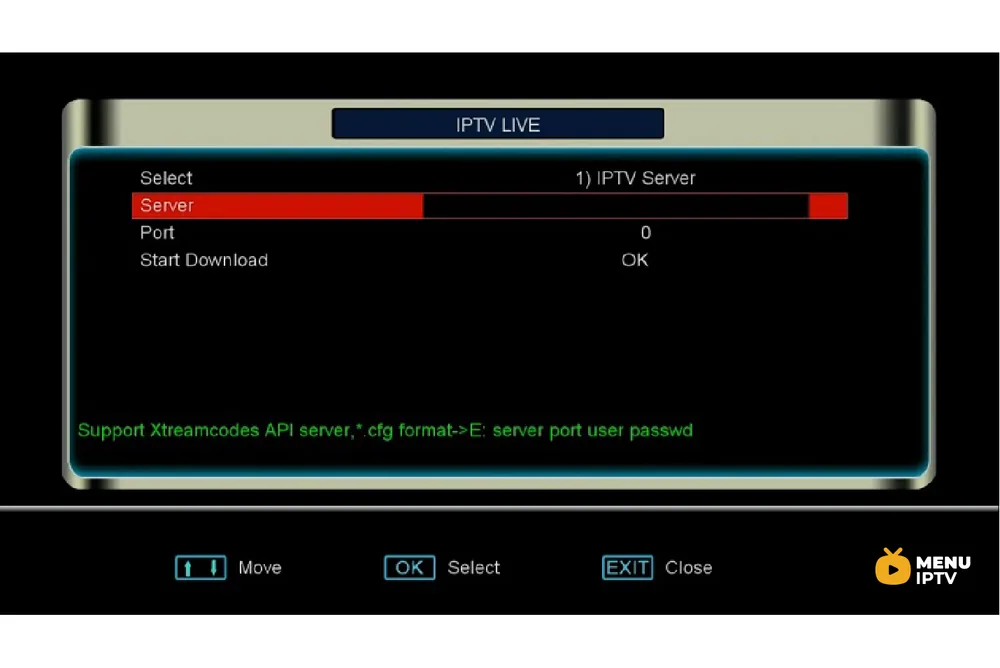
Step 3: Entering the Portal Address
Now enter the portal address provided by your IPTV distributor and click on “Ok“. You must enter a MAG portal address.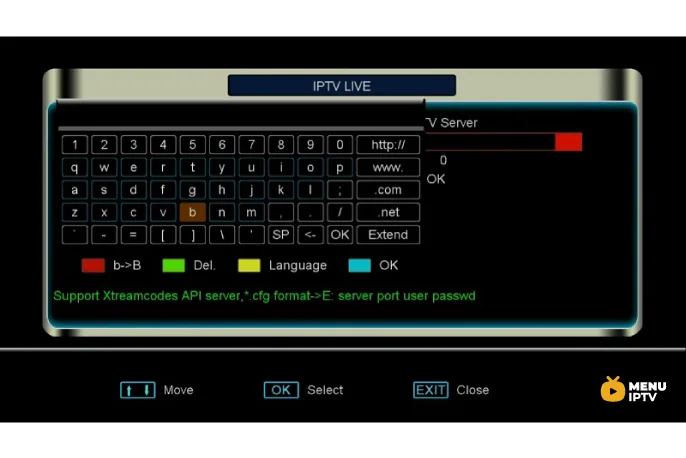
Step 4: Setting the Port Number
Now enter the port number. You can ask this from your IPTV provider, it usually is 8080 or 8181.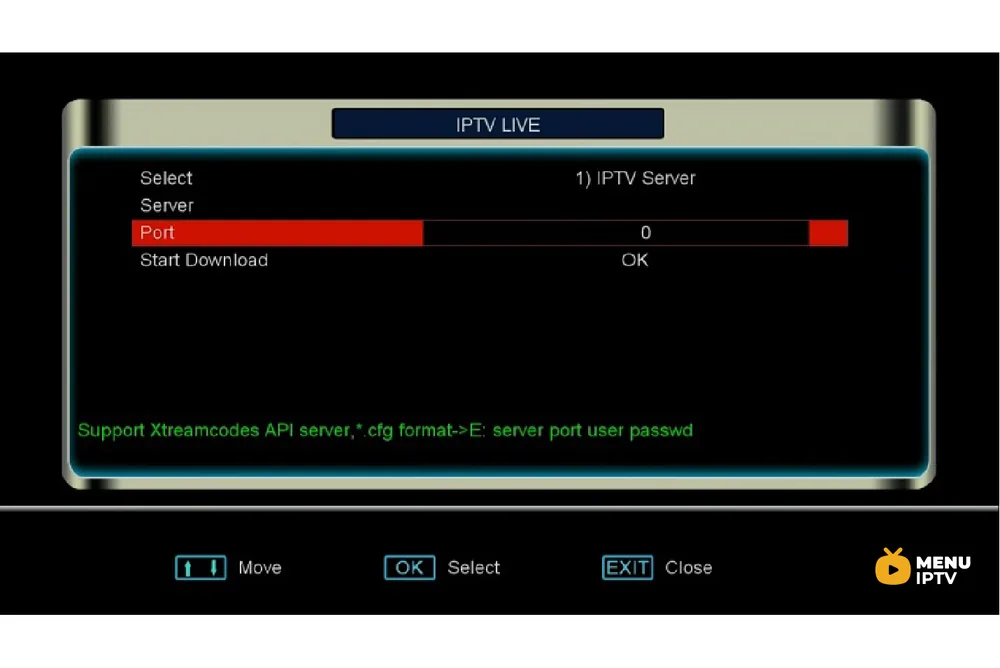
Step 5: Configuring System Information
Now proceed to the plugins tab from the main menu and click on “System Information“. Now insert the IPTV MAC to your IPTV dashboard and head back to the Extream IPTV section.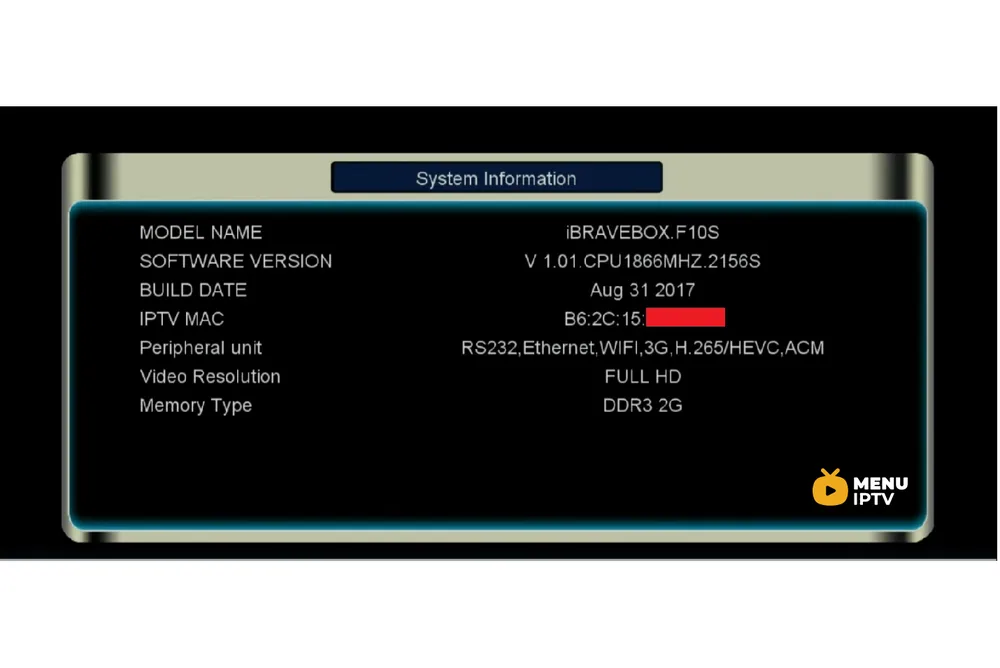
Step 6: Starting the Download
Now click on “Start Download” and from now on you can start watching the channels.Need an IPTV subscription for this device? Get the free 24h IPTV test from Menuiptv, then pick a plan from 38 € for 6 months.