
How to optimize my VLC for watching IPTV
There are some ways by which you can modify the setting of the VLC media player which finally can help you to watch IPTV with less buffering by increasing the cache size. In the following, some of these tips are mentioned.

How to optimize VLC
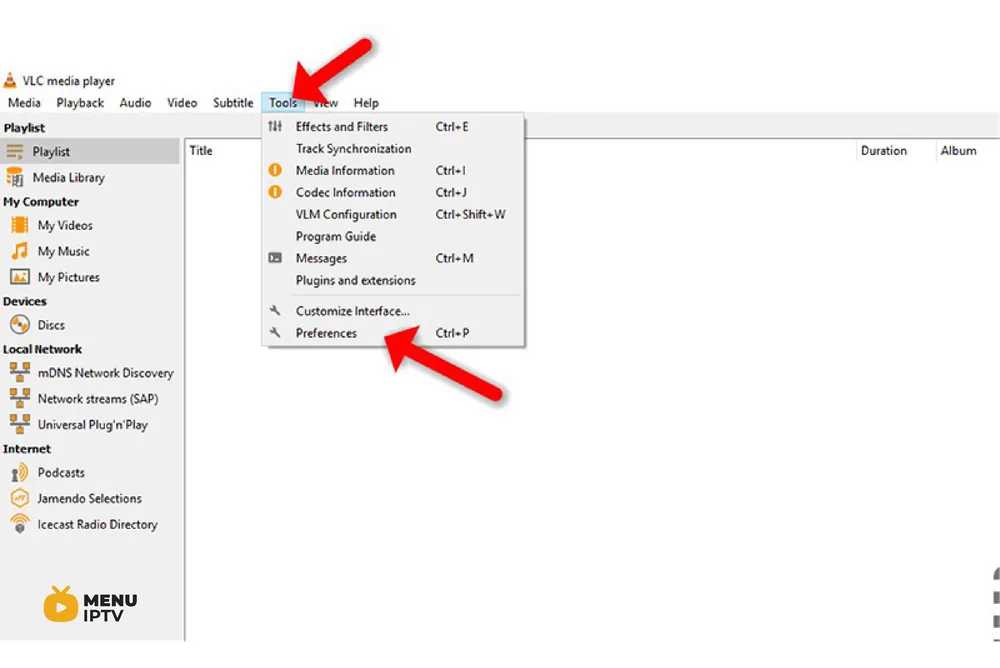
Step 1: Open VLC media player, select “Tools“, and click on “Preference“.
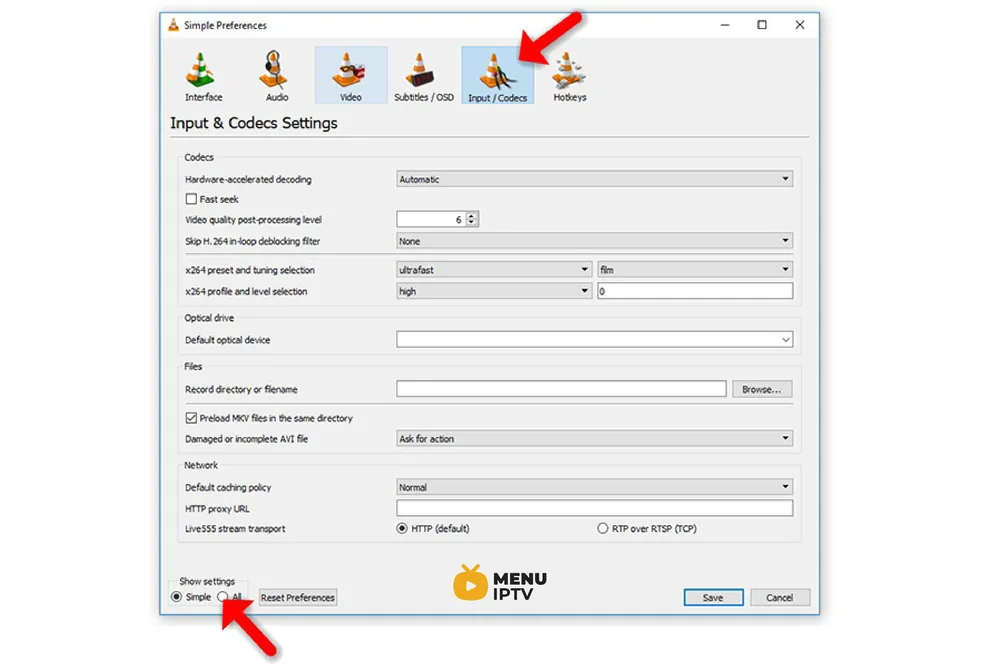
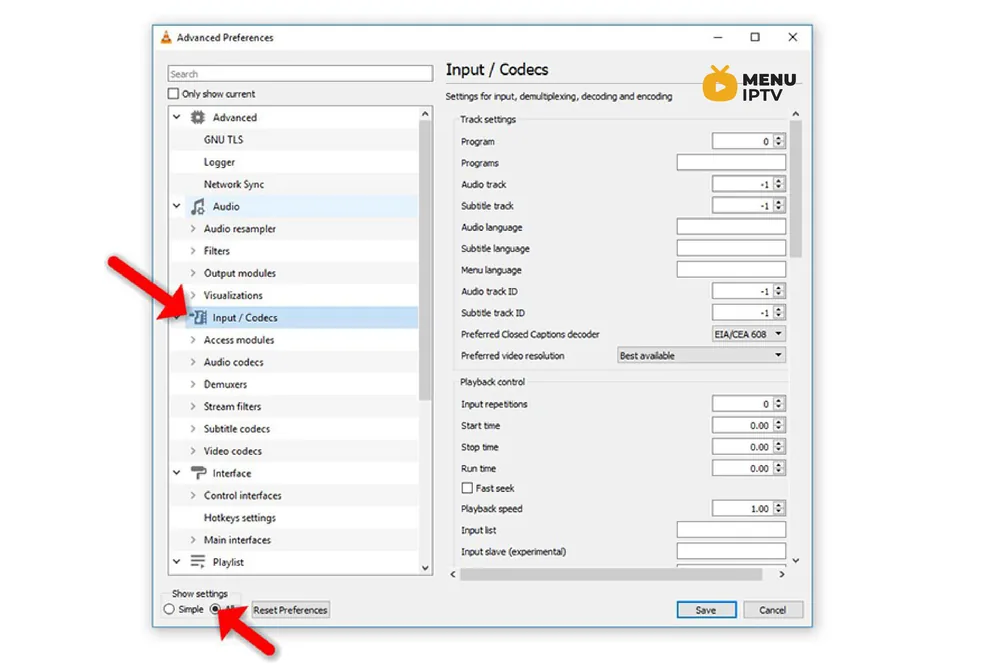
Step 2: Next, click “Input / Codecs” show setting “All” option at the bottom of the window. Click “Input / Codecs” in the left sidebar.
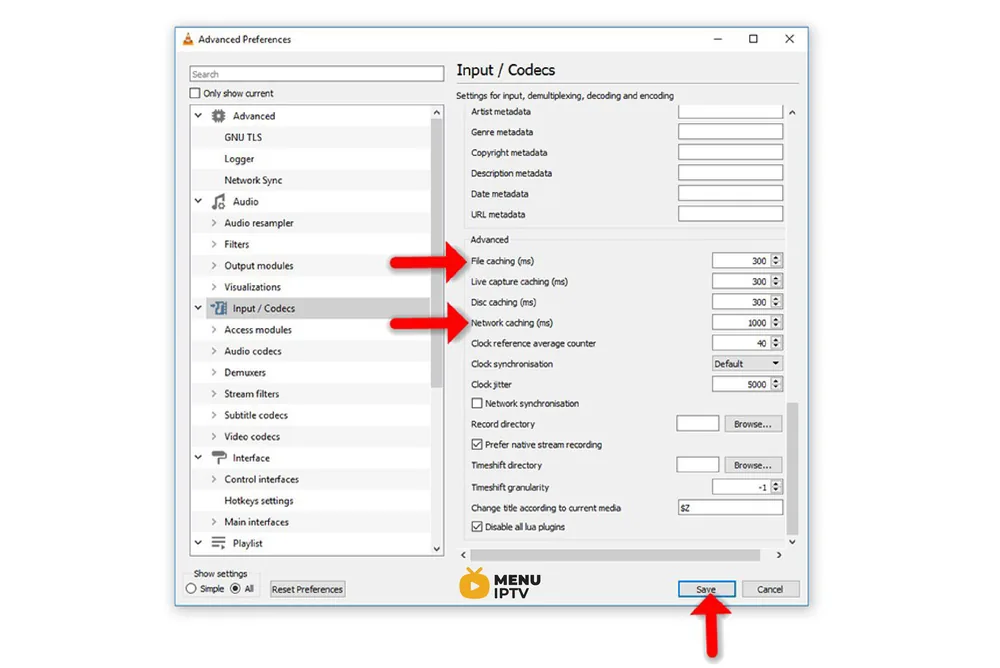
Step 3: If the file that is buffering is playing from a local hard drive (Static M3U file), look for the “File Caching (ms)” option under “Advanced” on the right side. The caching value here is estimated in milliseconds, so setting the value to 1000 will buffer for 1 second. The issue with setting this option too large is that if you want to manually skip to a new point, there will be a larger lag while the content is buffered again.
If the file you are trying to play is located on a network share (Dynamic M3U url), you can change the caching value for “Network Caching (ms)”.
Cache size in VLC
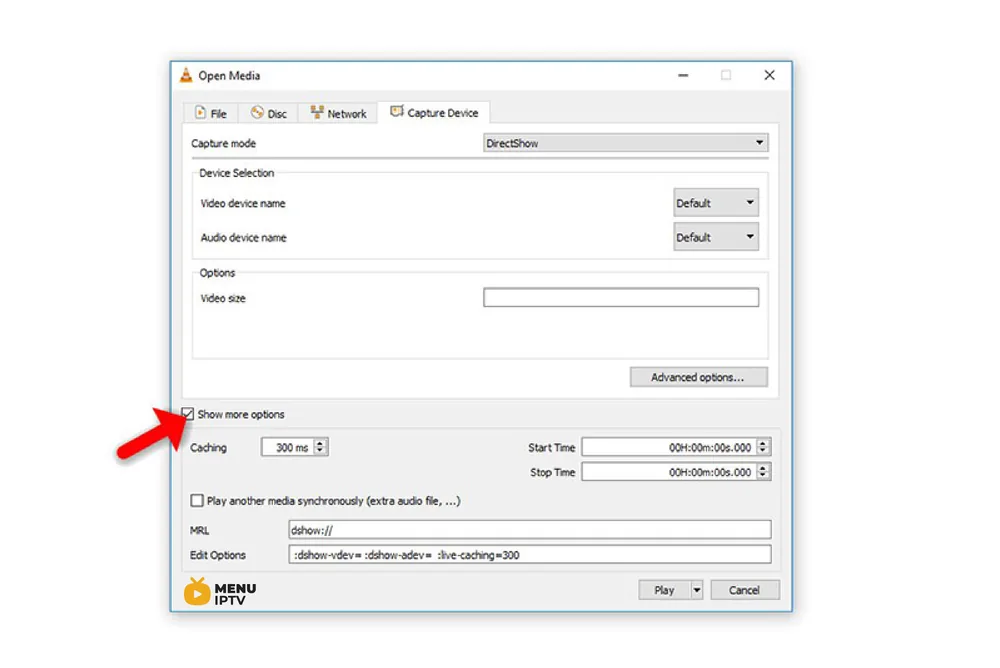
Another temporary solution when you are running a network URL format or streaming files like TS and M3U file formats is explained below:
- Open VLC media player, click on “Media” and select “Open Network Stream“.
- Type the URL you want to play, then click on “Show More Options” checkbox.
- Now, based on your Internet speed you can increase the cache size.
If you think need further help, feel free to discuss it with us in the comments section down below.
Need an IPTV subscription for this device? Get the free 24h IPTV test from Menuiptv, then pick a plan from 38 € for 6 months.