6 steps to Set Up IPTV on GSE via Xtream Codes API
Using Xtream Codes to SetUp IPTV on GSE
In this tutorial, we are going to show you how to bring IPTV channels to your GSE SMART IPTV App. GSE is a comprehensive user-defined Advanced IPTV solution for live and non-live TV stream. With a built-in strong player that supports most formats including M3U with options. It is available on both Android and iOS devices.Why Use Xtream Codes for IPTV on GSE
We will set IPTV in GSE App using Xtream Codes API here. Xtream Codes API provides an easy way to integrate EPG information without needing to add the EPG URL separately. This API also supports auto-updates for EPG, making it very convenient.The Advantages of Using Xtream Codes API
By using Xtream Codes API, you can add EPG information easily with no need to manually enter the EPG URL. If the IPTV provider offers a Catch-up feature, this option will be available in Xtream Codes API, similar to the MAG portal system.
Android devices:
https://apkpure.com/gse-smart-iptv/com.gsetech.smartiptv
iOS:
https://itunes.apple.com/us/app/gse-smart-iptv/id1028734023?mt=8
How to Add IPTV Channels to GSE Using Xtream Codes API
Step 1: Start by downloading the GSE IPTV App from Google Play Store. On the top left, you have the options (three lines). Click on “Xtream Codes API”.
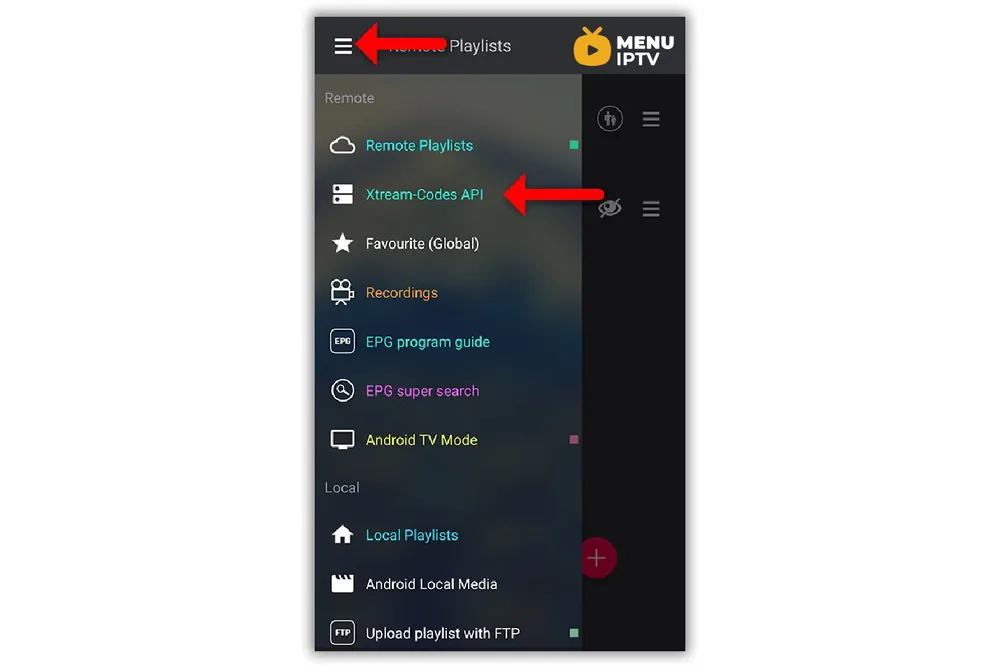
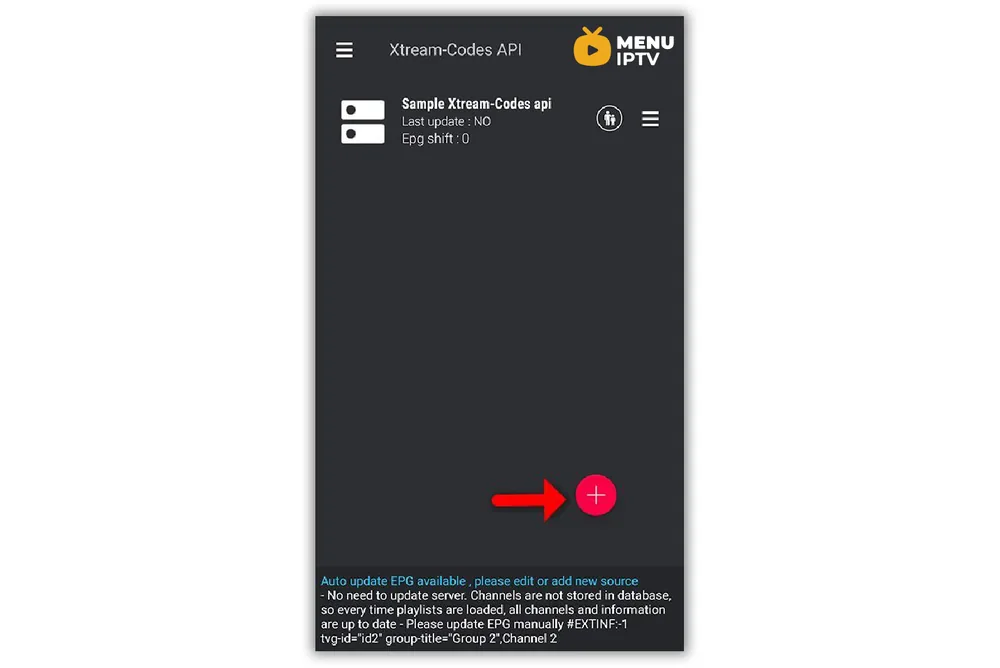
Step 2: On the bottom right corner, click on the red circle.
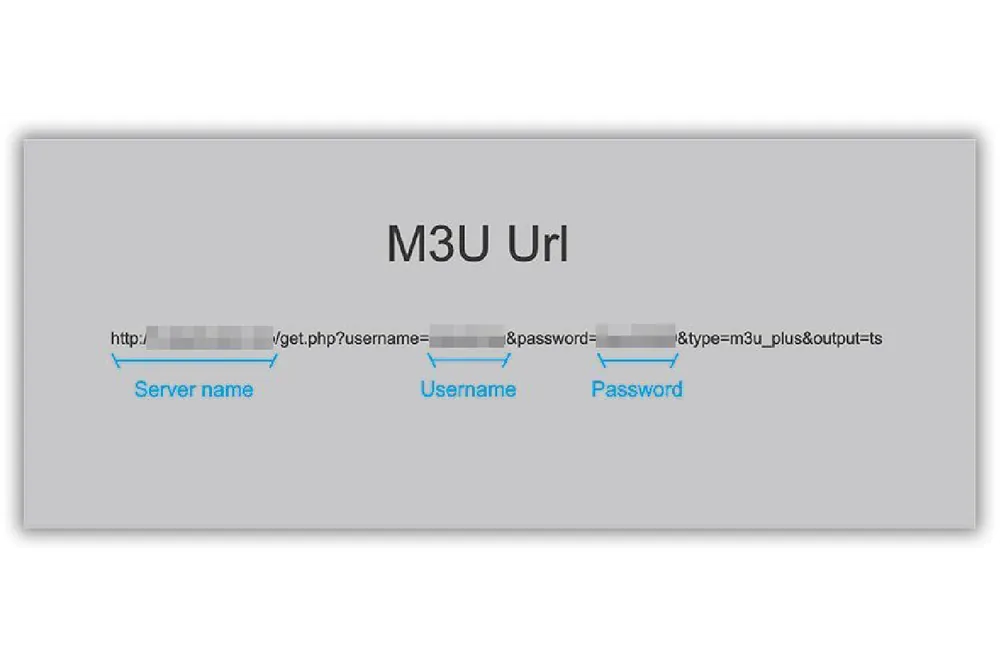
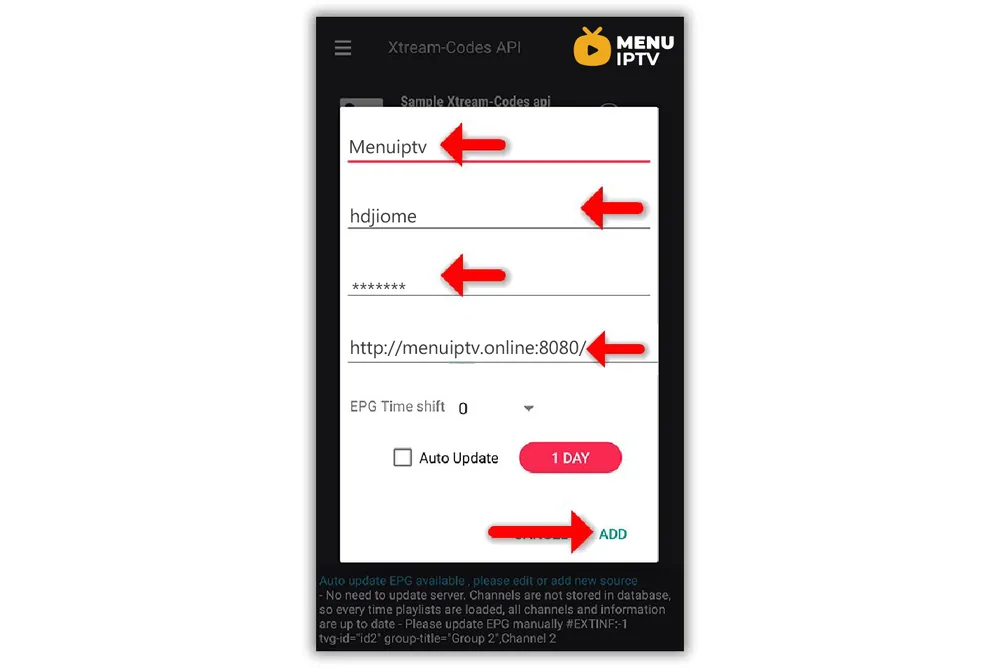
Step 3: Select a name for the IPTV list, you can choose any name, for example, “MY IPTV”. Enter the Server name, Username, and Password. You can find all these details in the M3U URL which your IPTV provider sends. After finishing entries, click on “Add”.
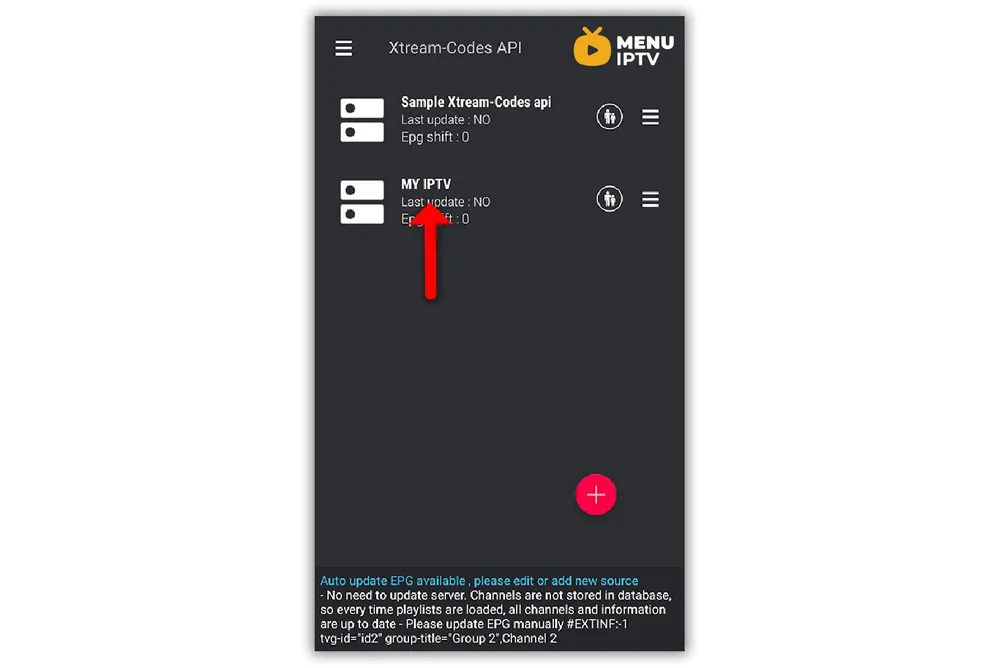
Step 4: Now you will find your “IPTV list” in the menu, click on it.
Step 5: Wait for the channels to be added to your application. This might take a little time depending on which countries or channel groups your M3U file contains. You will see the LIVE channels and VOD list.
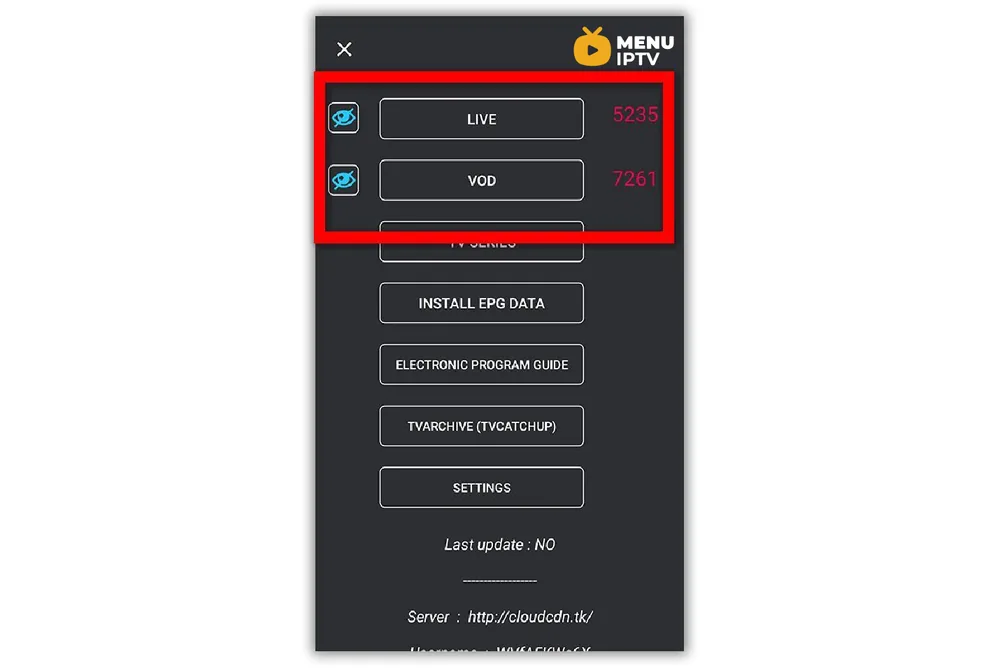
Step 6: By clicking on LINE, you will see the channel groups. Select the channel that you want to watch and click on “Play”.
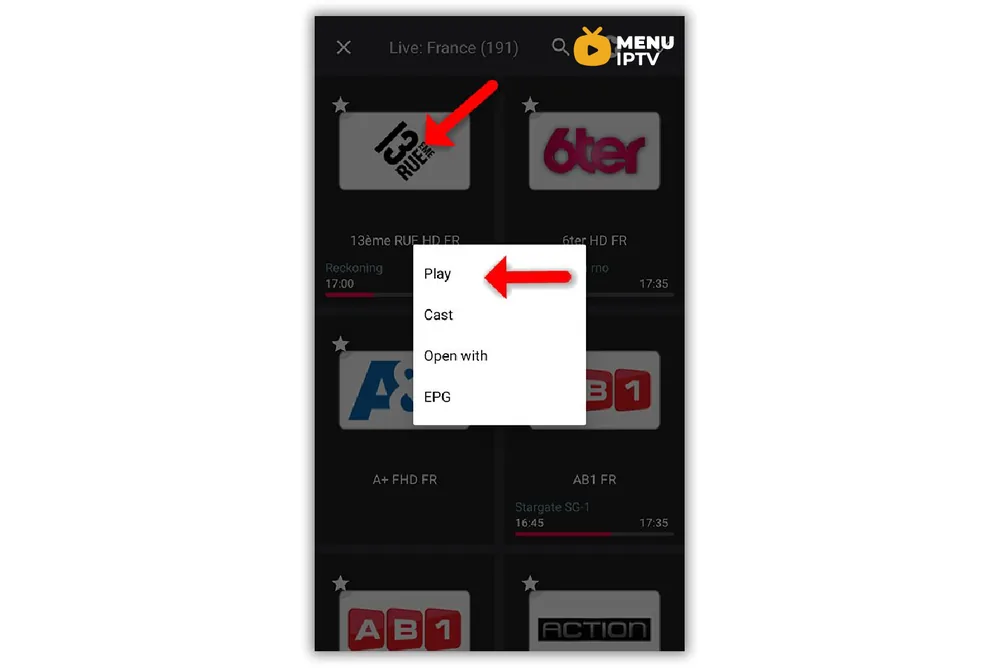
Now your GSE Android app is ready for streaming IPTV channels on your Android device.
How to Load EPG in GSE Using Xtream Codes API
Step 1: You can easily add EPG in GSE by clicking on “INSTALL EPG DATA”.
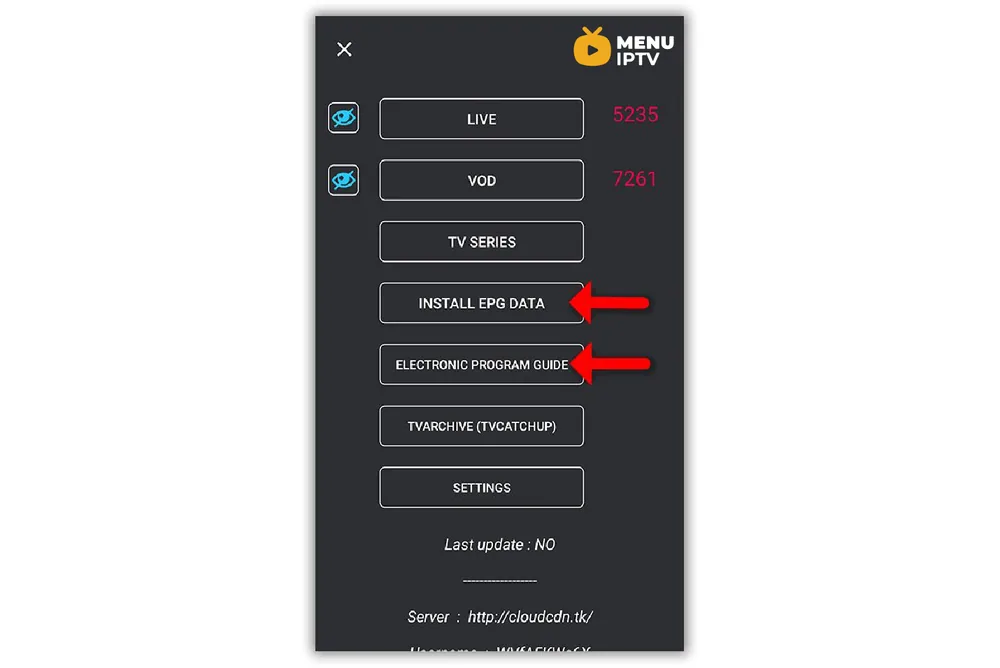
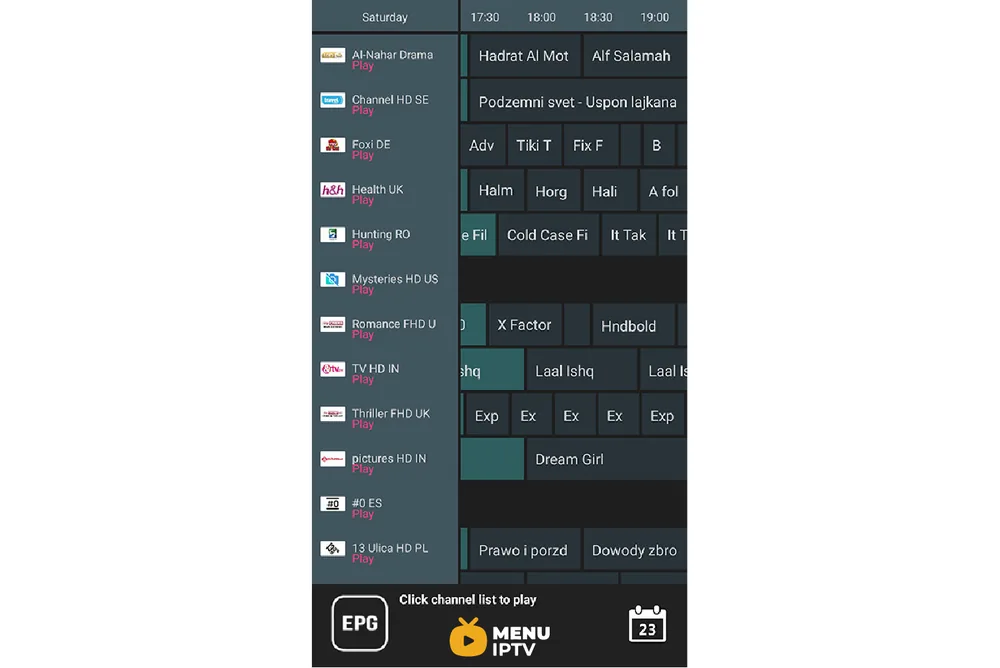
Step 2: Wait until the EPG data is downloaded. After that, you can see the EPG list by clicking on “ELECTRONIC PROGRAM GUIDE”.
Troubleshooting Common Issues with Xtream Codes on GSE
Connectivity Issues
If you experience connectivity issues while using GSE IPTV with Xtream Codes, ensure your internet connection is stable. You may also need to verify that your Xtream Codes server details are correct and that your IPTV provider's service is not experiencing downtime.
Playback Problems
If you encounter playback problems, try switching to a different player within the app settings or clearing the app cache. This can often resolve issues related to streaming quality and performance. Make sure that the Xtream Codes details are entered correctly to avoid any streaming disruptions.
EPG Loading Issues
If the EPG data is not loading properly, make sure you have a strong internet connection. Try refreshing the EPG data within the app or reinstalling the GSE IPTV app if the problem persists. Using Xtream Codes should streamline the EPG integration, but checking for correct setup is crucial.

Additional Features of Xtream Codes on GSE
Catch-Up TV
One of the significant advantages of using Xtream Codes on GSE is the ability to access Catch-Up TV if your IPTV provider offers this feature. This allows you to watch previously aired programs that you might have missed.
Parental Controls
Xtream Codes on GSE IPTV provides robust parental control options, allowing you to restrict certain channels or content types. This ensures a safe viewing experience for children.
Multi-Screen Support
GSE IPTV with Xtream Codes supports multi-screen viewing, enabling you to watch different channels simultaneously on various devices. This is ideal for households with multiple viewers.
By following these steps and utilizing the features of Xtream Codes on GSE IPTV, you can enjoy a comprehensive and customizable IPTV experience on your Android or iOS device. Happy streaming!
/2024/05/30/8-how-to-setup-iptv-on-iptv-smarters-pro
/2024/05/29/how-to-setup-iptv-on-enigma
Need an IPTV subscription for this device? Get the free 24h IPTV test from Menuiptv, then pick a plan from 38 € for 6 months.