4 steps to setup IPTV on ProgTV
ProgTV is formerly known as HyppTV, is a simple but handy and comprehensive application for streaming IPTV channels and listening to radio channels over the Internet or local network.
You can download this app from the Google Play Store via link below:
https://play.google.com/store/apps/details?id=com.progdvb.progtva&hl=en_US
How to add IPTV channels to ProgTV app
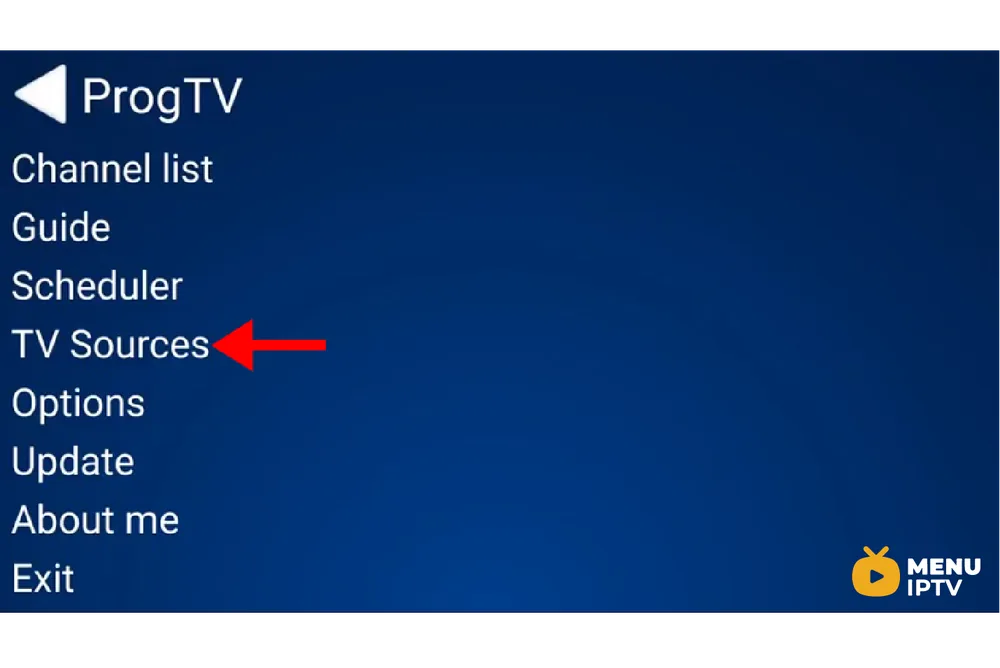
Step 1: On the main menu of the application, select “TV Sources” and proceed to the next step.
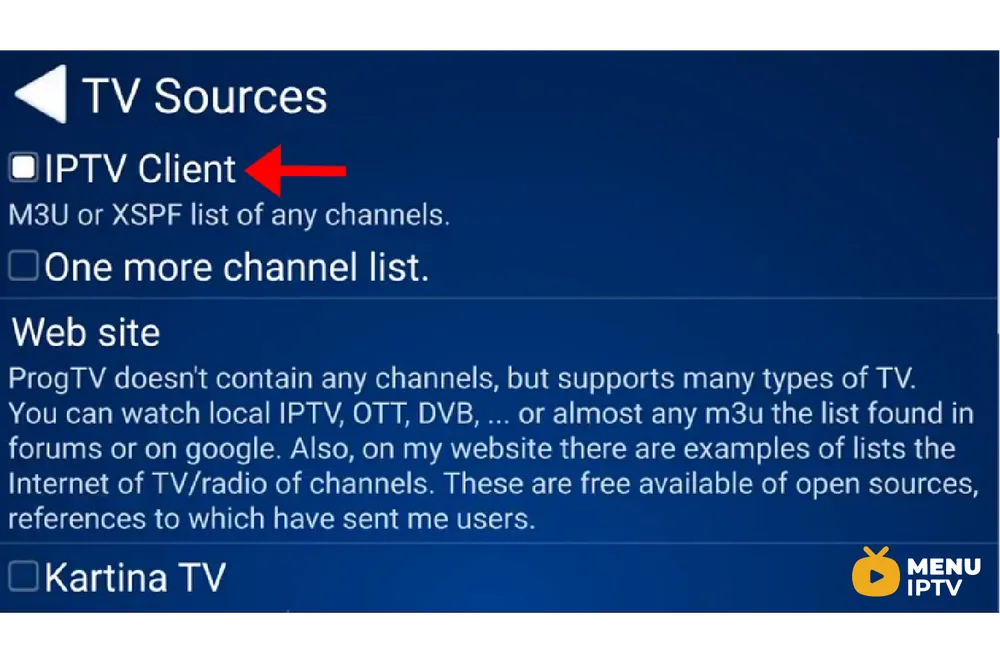
Step 2: Now select “IPTV Client” as depicted via a red arrow in the below picture.
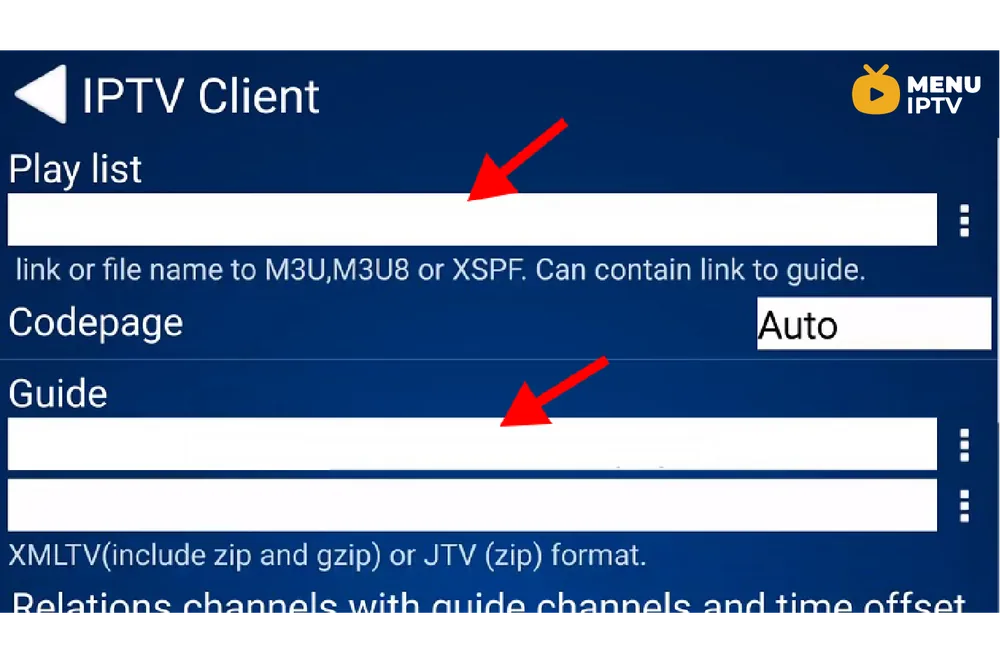
Step 3: Now you must enter your M3U URL in the “Playlist” section and insert your EPG URL in the “Codepage” section.
Step 4: Now head back to the main menu and select “Channel list” and the channels you just added will appear.
Please note, this application is also available on Windows phone and the installation procedure is exactly the same as we demonstrated in this article.
Features and functions of ProgTV app
- Support of one or more M3U(M3U8), XSPF channel lists. Channel logos, guide, auto-updating.
- Guide (EPG) in XMLTV and JTV formats support (include zip, gzip)
- Internet TV and Radio. ITV format of lists (from ProgDVB)
- Support of Katrina TV, Xtream-Codes IPTV panel
- Torrent TV links in M3U or other links format.
- DVB over IP.
- SAT>IP.
- The client of ProgDVB for receive channels from DVB device.Functions:
- TimeShift
- Record.
- Scheduler.
- Subtitles.
- Information about channel format.
- The interface is optimized for the phone, a pad, and TV (include remote control using).
- Support of more one channel list in same time.
- Favorites list.
- Per channel zoom and ratio settings.
- Equalizer, AGC, Spectrum.
- Folder for user logo of channels.
Let us know in the comments section below about your opinion and feedback concerning this article. Thank you in advance.
Need an IPTV subscription for this device? Get the free 24h IPTV test from Menuiptv, then pick a plan from 38 € for 6 months.