
VLC: how to change a channel's audio
Sometimes the channels you watch on VLC media player has multiple audio channels. For example, all Nordic channels have multiple audio languages and you can select any language from the list.
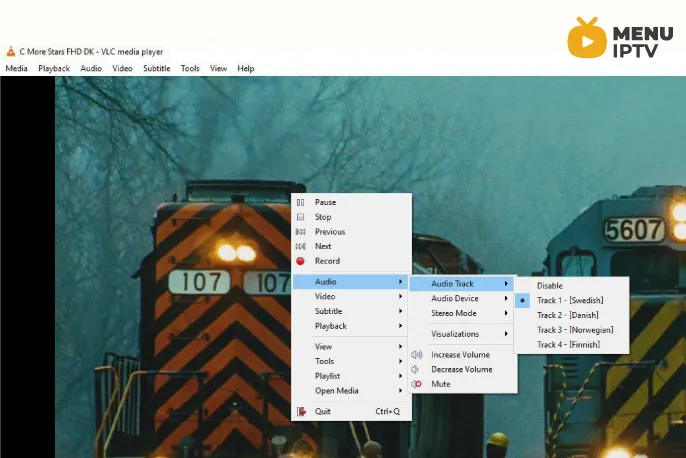
How to change audio channel
In order to change the audio channel, you must “Right click” on the middle of the screen and select “Audio” and then “Audio Track” as depicted in the above picture. Here you can select the language you want and the audio channel will change.
If you think we missed out on anything else, feel free to discuss it with us in the comments section down below. Thank you.
Need an IPTV subscription for this device? Get the free 24h IPTV test from Menuiptv, then pick a plan from 38 € for 6 months.