What is IPTV and how does it work?
What is IPTV in one sentence?
IPTV stands for Internet Protocol Television. It means that TV channels reach you as data over an internet connection instead of as a broadcast signal through an antenna, a satellite dish or a cable TV network.
If you have ever asked “what is IPTV, exactly?”, the short answer is: the same television, delivered by a different road. That different road makes a few useful things possible, such as watching on any device, pausing live TV and opening a film library from the same menu.
How IPTV works, step by step
- The channel is captured. A provider receives the broadcast of a channel.
- The video is encoded. The signal is compressed into a digital stream, in standard definition, HD, Full HD or 4K.
- Servers send the stream. Streaming servers deliver the video in small pieces over the internet, on request.
- Your app asks for a channel. When you select a channel, your player app requests its stream from the server.
- Your device plays it. The app puts the pieces back together and shows the picture, usually within a second or two.
With broadcast TV, every channel is sent to everyone all the time. With IPTV, only the channel you ask for is sent to you. That is why IPTV can offer thousands of channels: they do not all have to fit through your connection at once.
The three things an IPTV service delivers
- Live TV. Channels as they are broadcast, with a programme guide (EPG) that shows what is on now and next.
- Video on demand (VOD). A library of films and series that you start whenever you like.
- Catch-up or replay. Programmes from the past hours or days on channels that support it.
What you need to watch IPTV
An internet connection. Stability matters more than a record speed. A cable connection to the TV is more reliable than Wi-Fi.
A device. A Smart TV, Fire TV Stick, Android TV box, MAG box, phone, tablet or computer. Our overview of the hardware you need for watching IPTV compares them.
A player app. The app is the remote control and the screen in one. Popular players are TiviMate, IPTV Smarters Pro, VLC and Kodi. See the software you need for watching IPTV.
A subscription. The provider gives you a login that the app uses to load channels, the guide and the library.
The three login formats
Providers hand out access in one of three forms. They all lead to the same content.
| Format | What it looks like | Typical use |
|---|---|---|
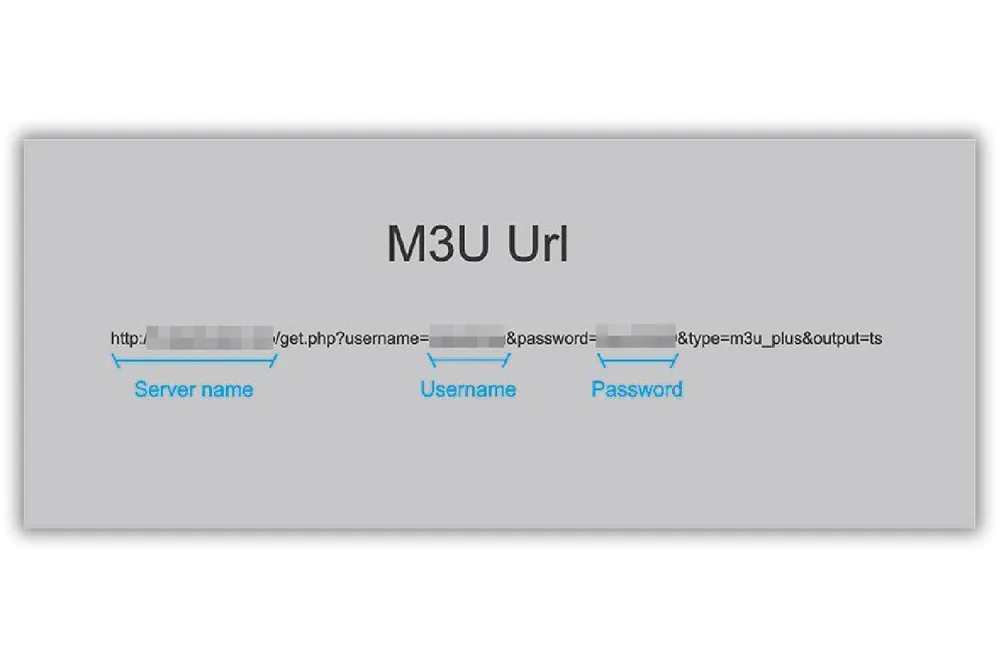
| M3U link | One long web address | VLC, Kodi, many simple players |
| Xtream Codes login | Server address, username and password | IPTV Smarters Pro, TiviMate |
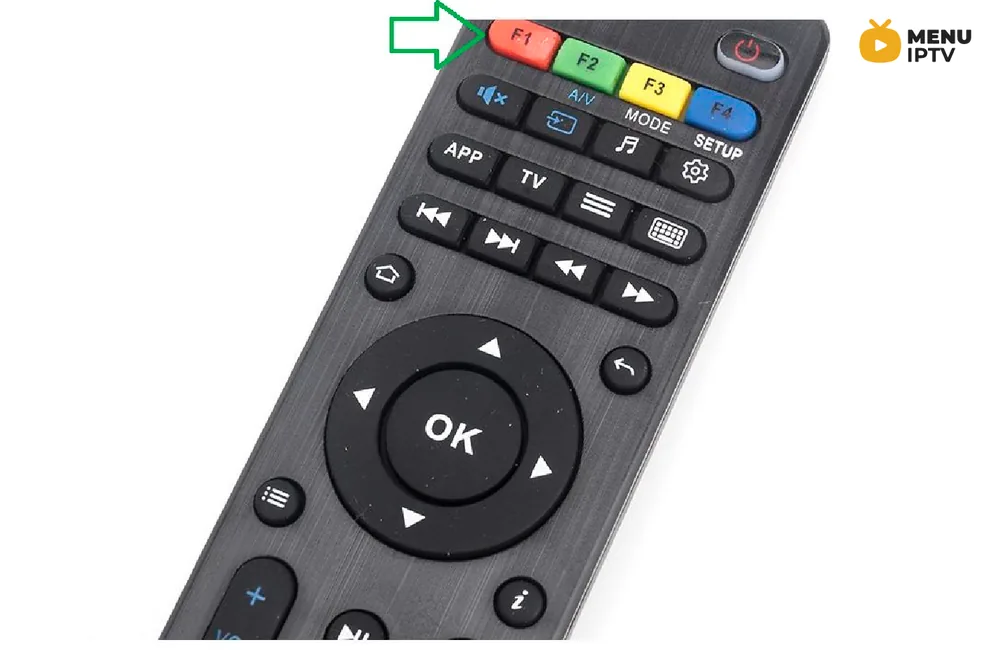
| Portal with MAC address | A portal URL, with your device registered by the provider | MAG and Formuler boxes, STBEmu |
If you are unsure which one you have, read M3U URL vs portal system and how to find the server address in an M3U URL.
Operator IPTV and internet IPTV
The word covers two models.
Operator IPTV is the TV package of a telecom company. It runs on the operator’s own network with a rented set-top box, and it only works at the address where you have the line.
Internet IPTV (also called OTT) runs over any internet connection. You choose your own device and app, and the service works wherever you are. MenuIPTV is of this second kind.
Advantages and limits
Advantages
- one login on many types of device;
- live TV, films and series in the same menu;
- no dish, no antenna and no technician;
- works at home and while travelling.
Limits
- quality depends on your internet connection and home network;
- services differ a lot in stability and support, so testing is important;
- you need a compatible app, which takes a few minutes to set up.
Is IPTV legal?
The technology itself is legal and is used by broadcasters and telecom operators all over the world. Whether a particular service may offer particular channels depends on the rights it holds, and the rules differ from country to country. If you are unsure, check the regulations where you live.
How to try IPTV yourself
Reading explains the idea; watching shows whether it fits your home. MenuIPTV offers a free 24h IPTV trial with no payment details, so you can test your own channels on your own connection. The IPTV installation guides show the set-up for each device, and the IPTV subscription page lists the plans if you decide to stay.
Need an IPTV subscription for this device? Start with the free 24h IPTV trial, compare the IPTV subscription plans from 38 € for 6 months, or open the installation guides for your device.